Electoral Search by Mobile Number option allows anyone check their voter details online which are linked to the mobile number as per the latest and official ECI records. By entering your mobile number, you can verify whether your mobile number is linked to any voter ID or not or even if your name exists in the electoral roll. If your name is not found and mobile number is not linked, you can link your mobile number to your voter ID on the ECI voters portal.
ECI Electoral Search using Mobile Number
Select your state name from the list, enter your mobile number in the given mobile number field, click on "Next" button, enter the captcha code shown and then click on "Verify Captcha & Send OTP" button. Then enter the OTP received on your registered mobile number and click on "Verify OTP & Search" button to see the voter details linked to that mobile number. Only linked mobile numbers fetches the details, else a message like 'Mobile Number is not Linked' will be displayed).
ALSO CHECK: Electoral Search by Name / Electoral Search by EPIC (Voter ID) Number
Find Voter ID Details by Mobile Number on Official Portal
STEP 1: Visit the official ECI voters portal voters.eci.gov.in
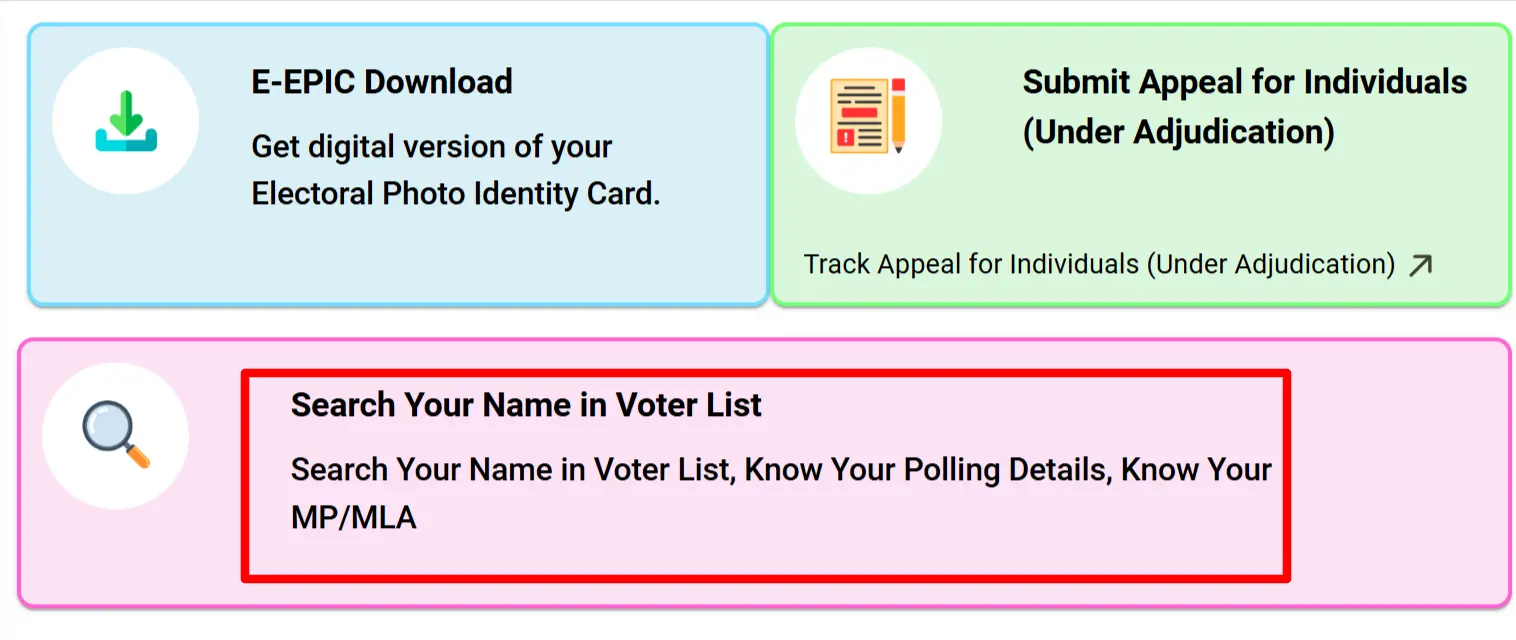
STEP 2: On the Homepage you will the "Search Your Name in Voter List" link as shown in similar screen below.
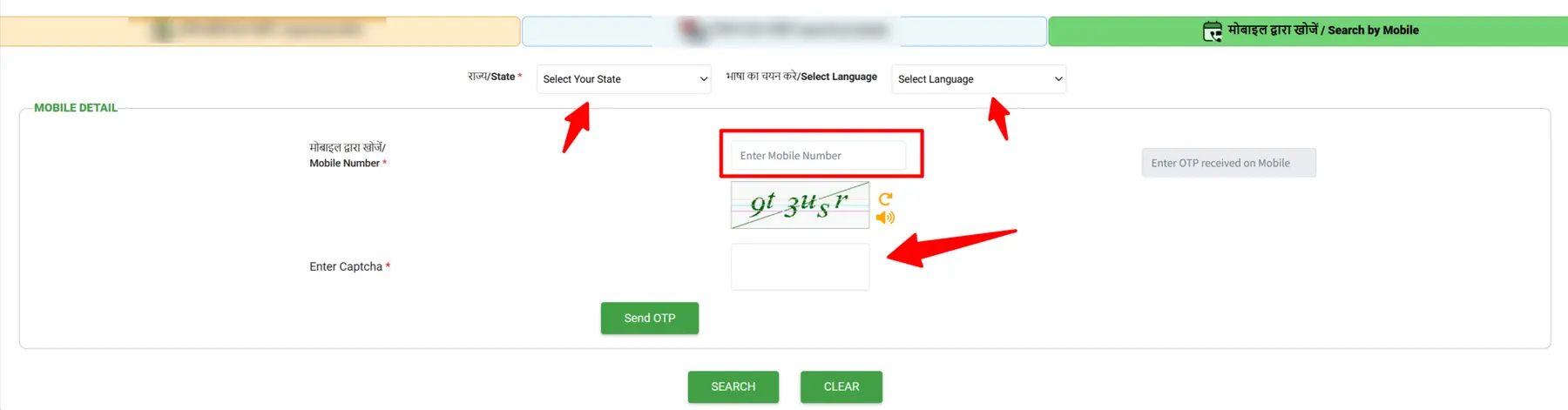
STEP 3: On the next page, select “Search by Mobile Number”. Choose your State and Language, enter your registered mobile number, and click on the “Send OTP” link to verify. After verification, enter the CAPTCHA code and click on the “Search” button, as shown in the image below.
STEP 4: After the EPIC details are displayed, you have to click on "View Details" as shown in below image.

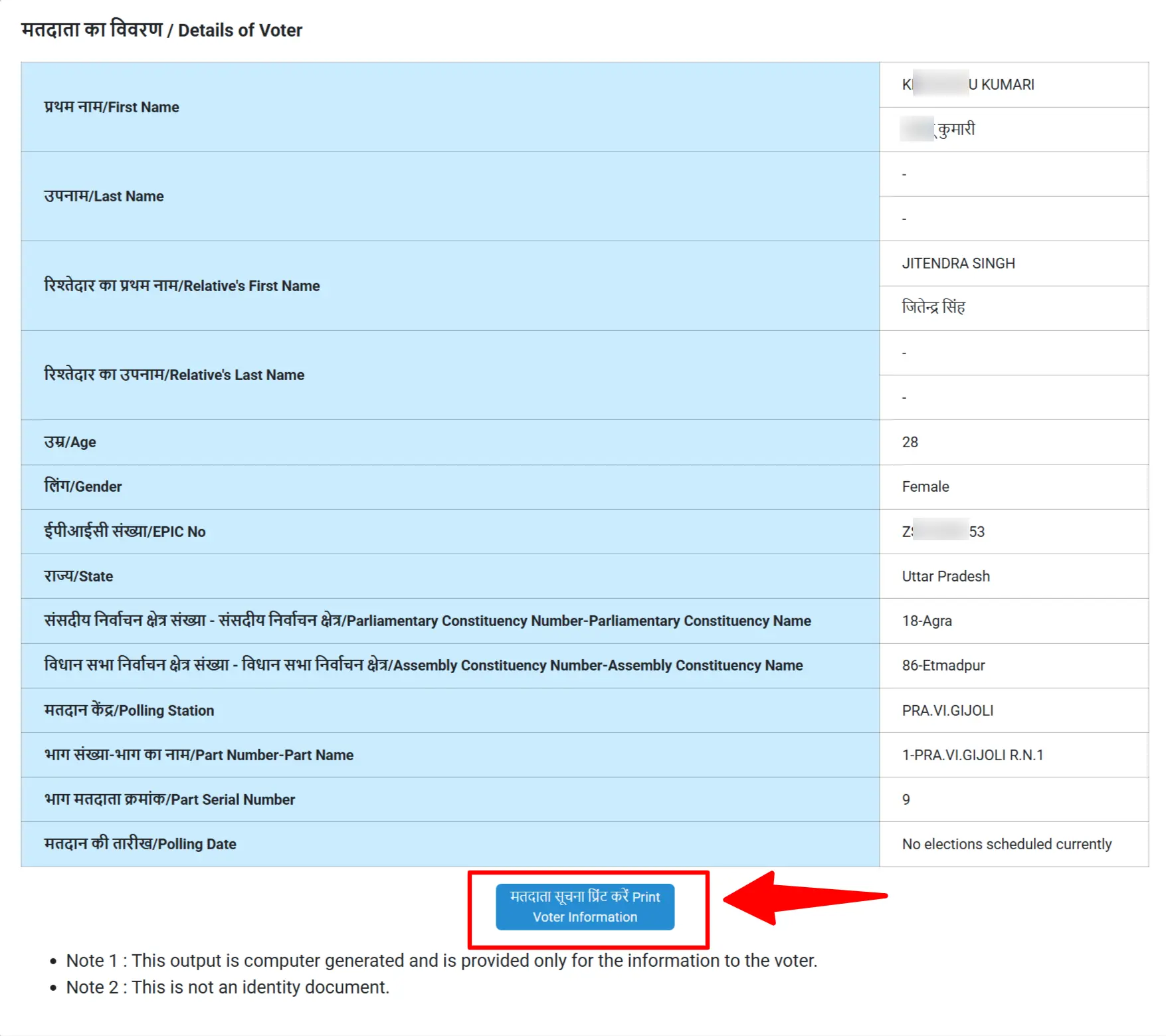
STEP 5: On the next page, your voter details will be displayed. Click on “Print Voter Information” to download your EPIC. The PDF will be saved in your download folder, as shown below.