Chhattisgarh Voter List 2003 PDF - Download District/Assembly Old SIR Electoral Roll
Election Commission of India has released Chhattisgarh voter list 2003 on its official website in which you can check old voter records such as name, address, and EPIC number. Chhattisgarh now has a total of 33 districts and 90 assembly constituencies.
Chhattisgarh 2003 SIR Voter List / Electoral Roll PDF - Assembly Wise Download Links
Below are the assembly wise direct links for downloading 2003 electoral roll of Chhattisgarh. Click on the name of your assembly constituency and then click on the part/polling station wise direct voter list PDF download links on the next page.
Chhattisgarh Voter List 2003 - Search Name & Download PDF on voters.eci.gov.in
You can directly check your name in the 2003 voter list or download PDF on the official ECI portal at voters.eci.gov.in using the below step by step process.
STEP 2: At the home page of the website, click on "Search Your Name in Last SIR" under forms section as given below
Search Name in Last SIR - Link
STEP 3: On the next page, click on "Search in last SIR E-Roll" tab and then select your "State", "District", "Assembly Constituency", "Polling Station No. and Name" and then click on "View" button as shown in below image.
Select Details to Download E-Roll PDF
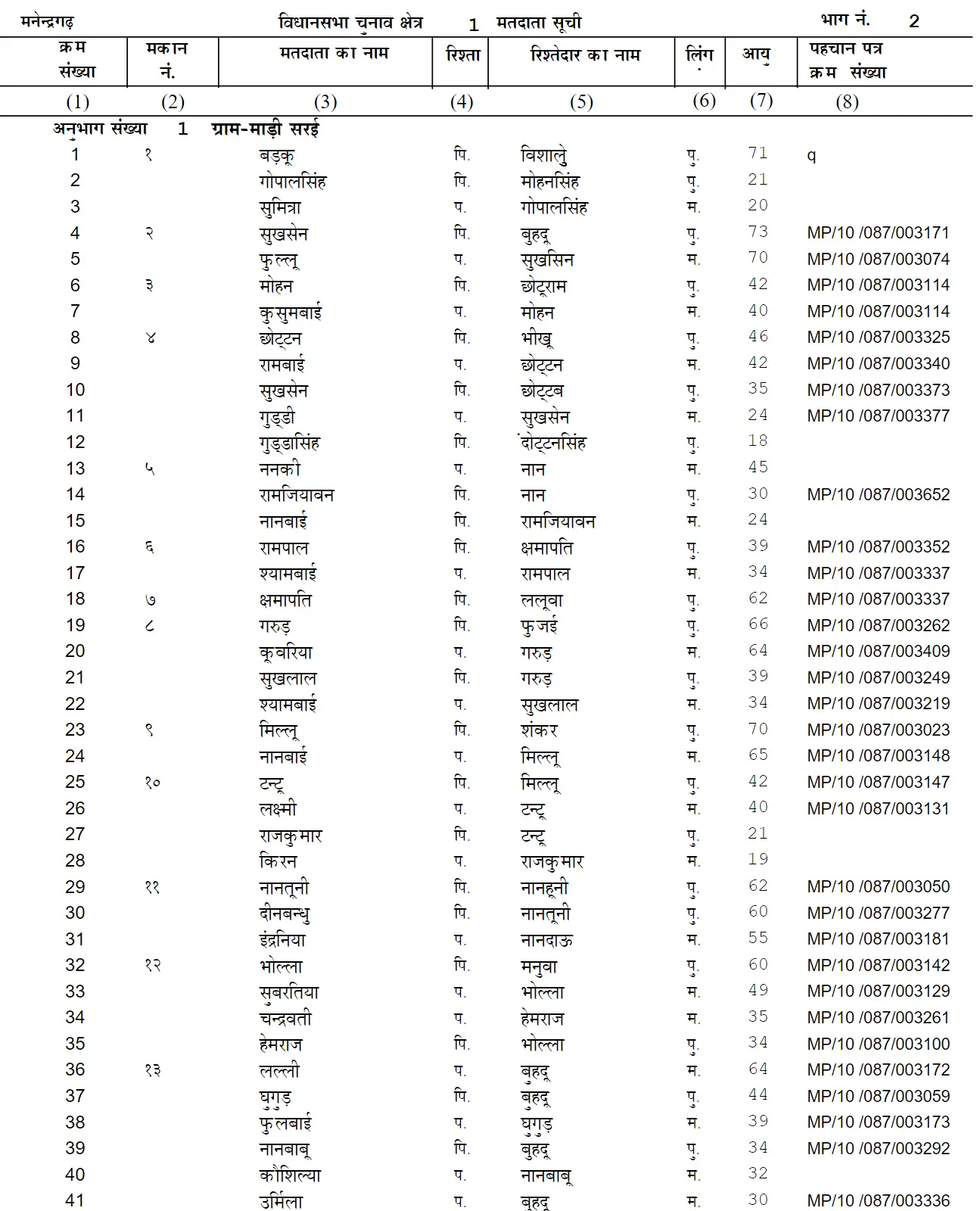
STEP 4: After clicking on View button, the PDF of selected polling station will open in new tab and voter list will be shown as below.
Voter List PDF - Sample
You can download this PDF by clicking the download icon and save it to your computer/mobile and then search your name in PDF.
Search Name in Chhattisgarh 2003 Voter List by Elector Details
You can directly search a name in the old SIR voter list of Chhattisgarh by entering some details on the ECI portal, use below steps.
STEP 1: On the same Old SIR Page, click on the "Search by Elector Details" tab as shown in below image.
Search by Electoral Details
STEP 2: Now select or fill all the required (State and Full Name in Last SIR) and optional details, enter the captcha code and click on "Search" button. The matching details will be shown on the screen.