

Punjab SIR Draft Voter List 2026 for the third phase of the Special Intensive Revision (SIR) was published on 13 August 2026 on the official ECI portal. To download the latest voter list, select "SIR Draft 2026" in the Roll Type section.
If your name is missing from the draft voter list, you can apply for its inclusion by submitting a claim, along with the required declaration and supporting documents, between 13 August and 12 September 2026. After that, the Election Commission will review all claims and objections until 8 October 2026. The final Punjab Electoral Roll 2026 will be published on 12 October 2026.
Online Process to Download Punjab SIR Draft Electoral Roll 2026 PDF from Official Portal
STEP 1: Visit the official Punjab CEO official website www.ceopunjab.gov.in
STEP 2: Click on "Draft Roll 2026" link on the homepage as shown in below screenshot.

STEP 3: After clicking on the link, you will be redirected to the ECI website. There, you need to select the State, Year of Revision, Roll Type, District, Assembly Constituency, and Language, as shown in the screenshot below.
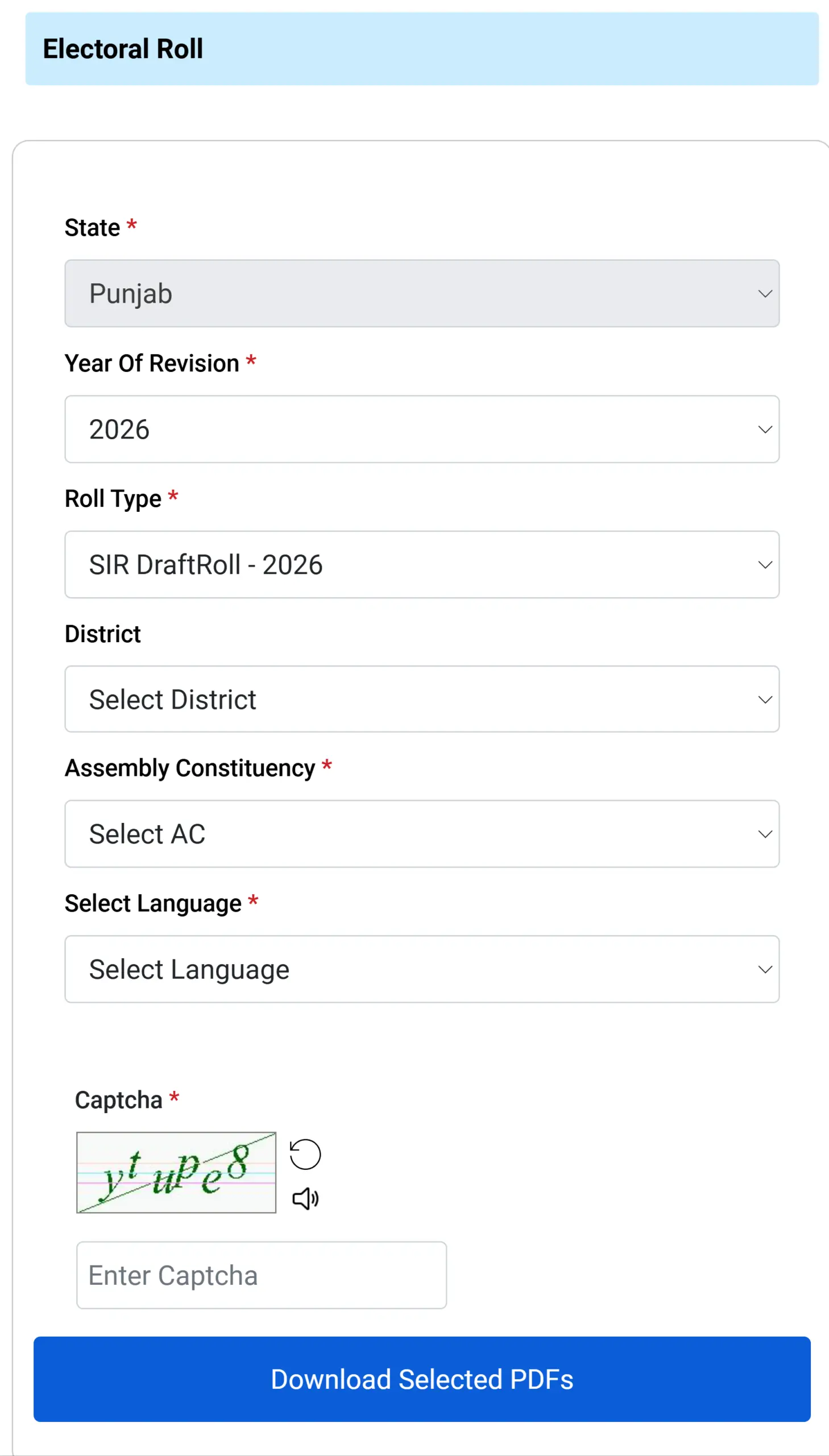
STEP 4: Find your Polling Station / Booth from the list. A list of booth numbers (Part Numbers) will appear. You can scroll or search for your area.
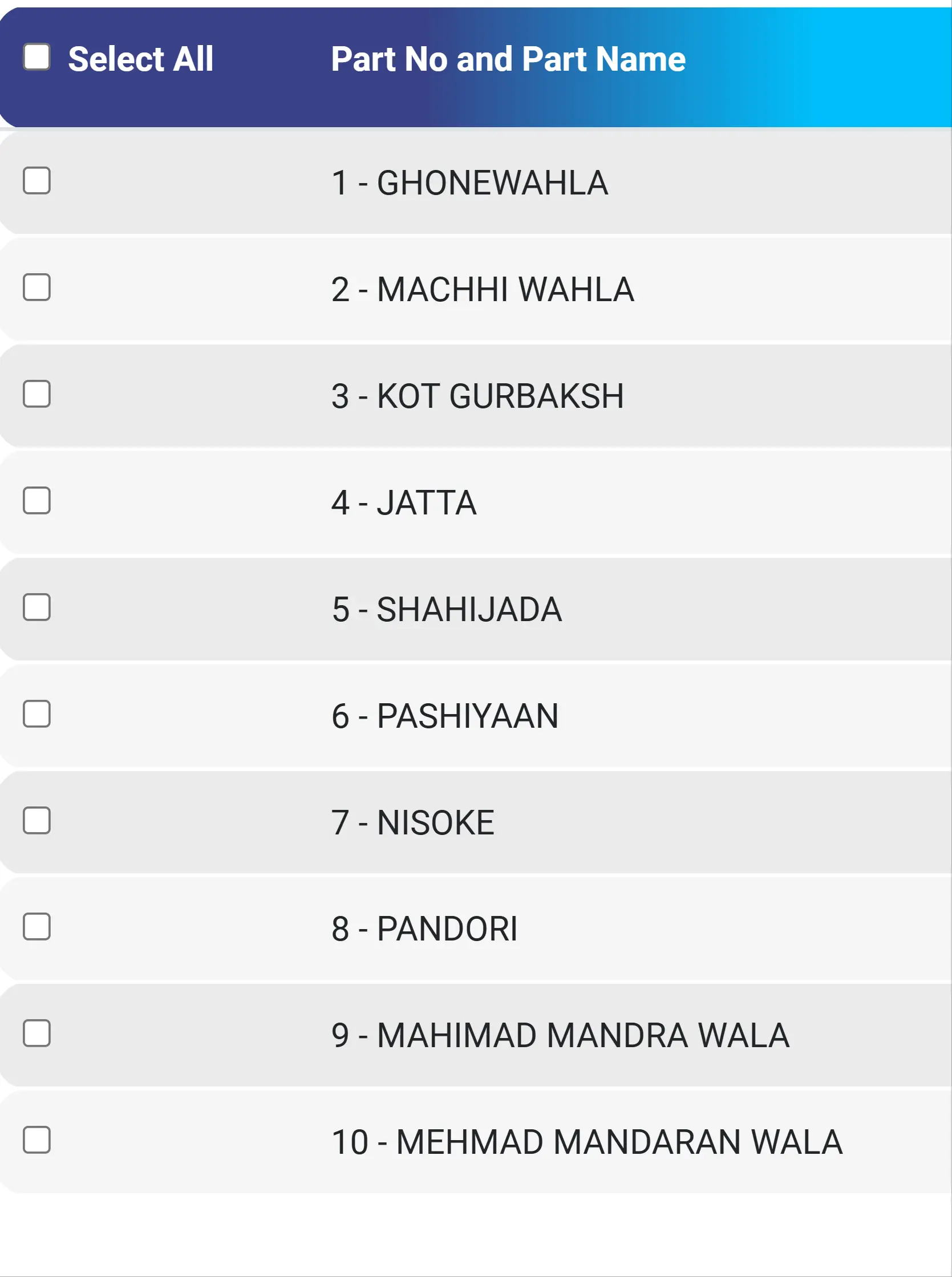
STEP 5: Wait for the Download Progress to complete. All selected PDFs will download automatically

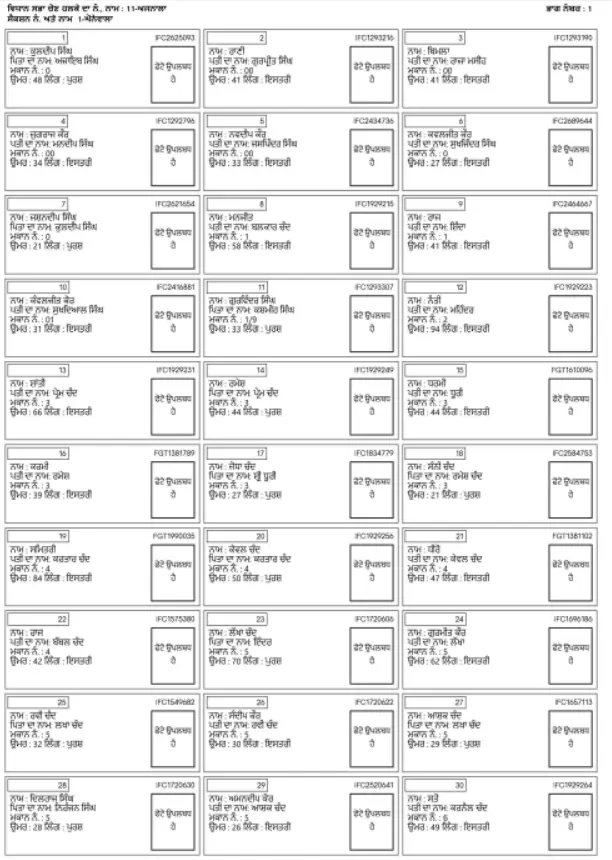
STEP 6: Save the downloaded PDF on your mobile or computer. After saving, the file will look similar to the sample below:
Punjab CEO Voter Helpline Number
Call 1950 (For Enquiry), 0172-2704701
Email: dyceo[at]punjab[dot]gov[dot]in