

EPIC stands for Election Photo Identity Card - the official name for what most people call a Voter ID card. Every registered voter in India is given a unique identification number on this card, known as the EPIC number. It is assigned by the Election Commission of India and stays the same throughout your life as a voter.
This number is used to identify you in the electoral roll and is required when searching for your name in the voter list or downloading your e-EPIC card online.
EPIC Number - Format and Location on the Card
An EPIC number is a 10-character code made up of letters and numbers, usually starting with English alphabets (older cards may have longer formats like RJ/20/12/728292). It is printed on the front side of your Voter ID card and is visible without needing to scratch or open anything.
Check your physical card: Look at the front face of your Voter ID. The EPIC number is printed clearly, typically below your photo or alongside your name and address details.

Don't have your card? You can find your EPIC number online through the ECI Voters' Service Portal using your personal details or registered mobile number. See the steps below.
How to Find Your EPIC Number Online at voters.eci.gov.in
The Election Commission's voter portal lets you search for your EPIC number without having the physical card. Here is how to do it.
STEP 1 - Open the official ECI portal at voters.eci.gov.in in your browser.
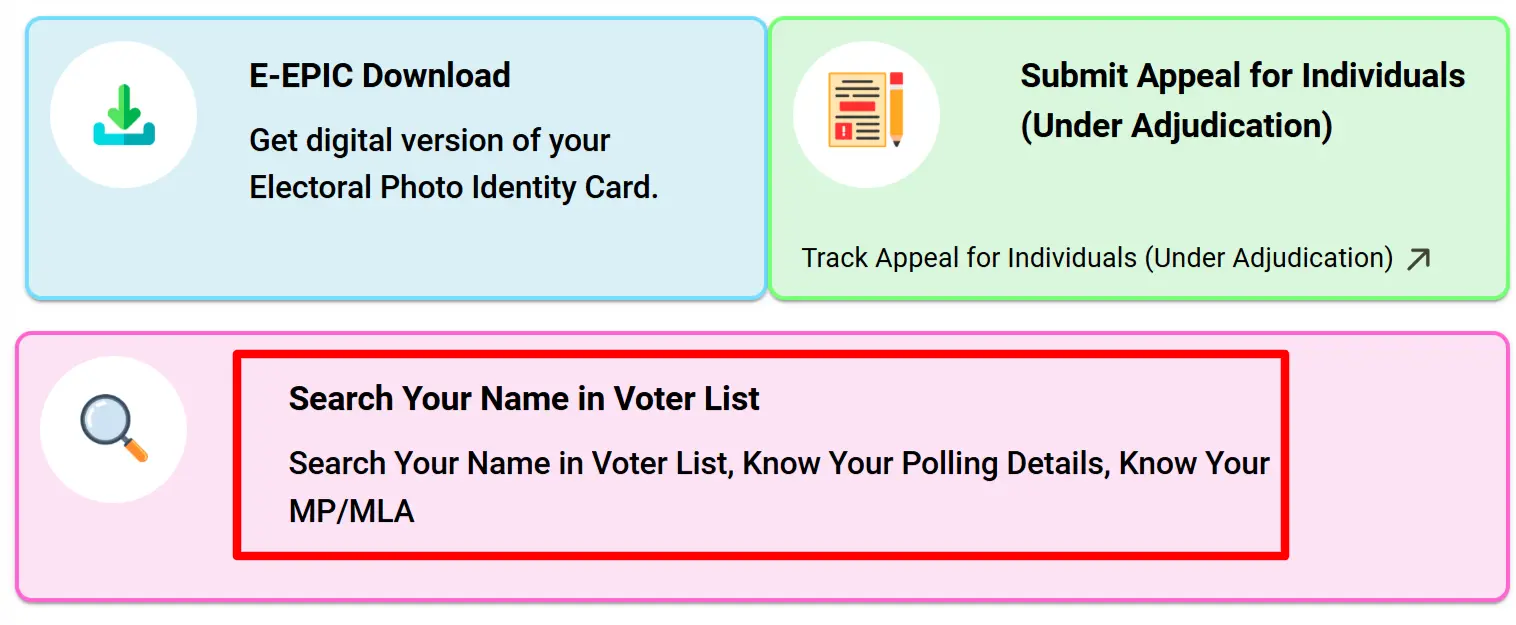
STEP 2 - On the homepage, click the Search Your Name in Voter List option as shown below.
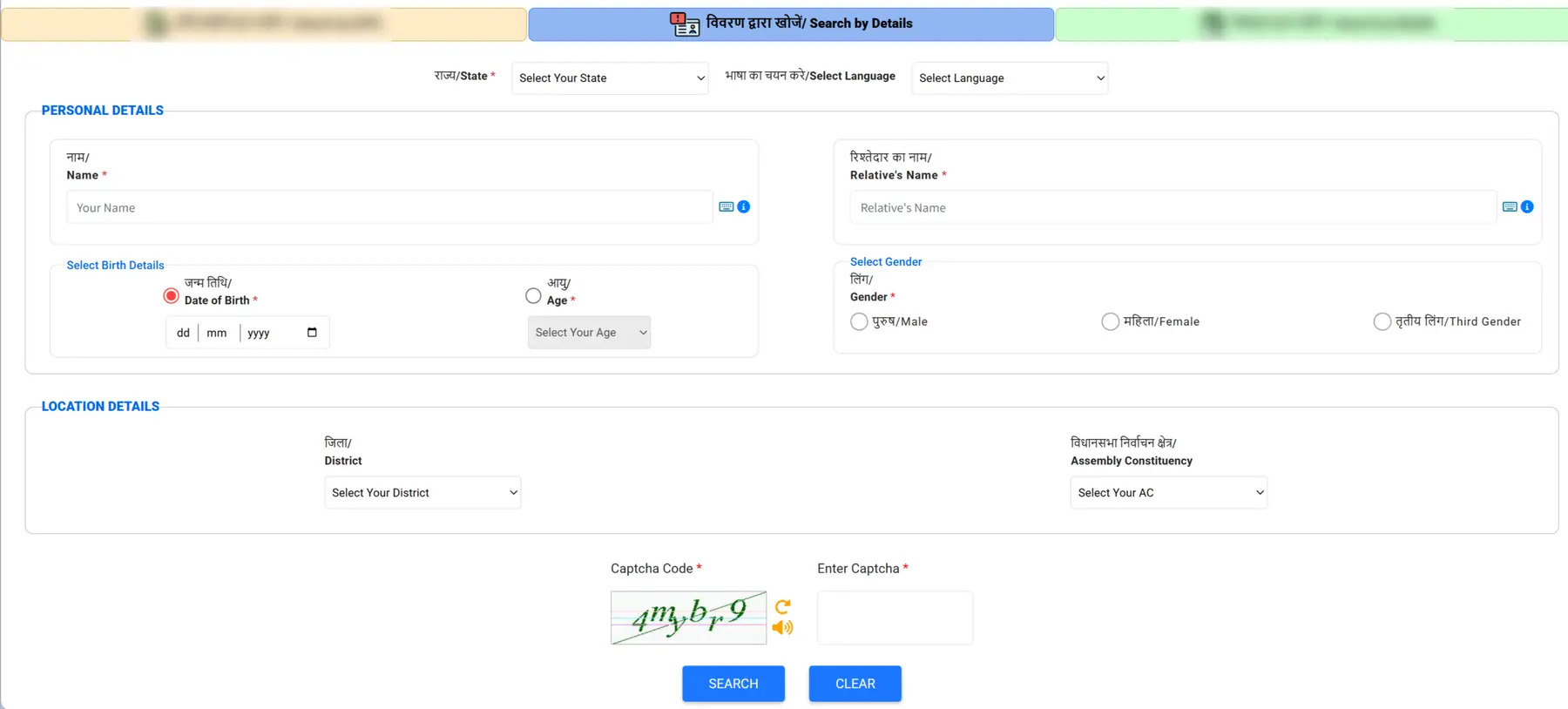
STEP 3 - You will see two search options: Search by Details and Search by Mobile Number.
To use Search by Details, enter your name, relative's name, date of birth, gender, and your state and district details as shown in the image below.
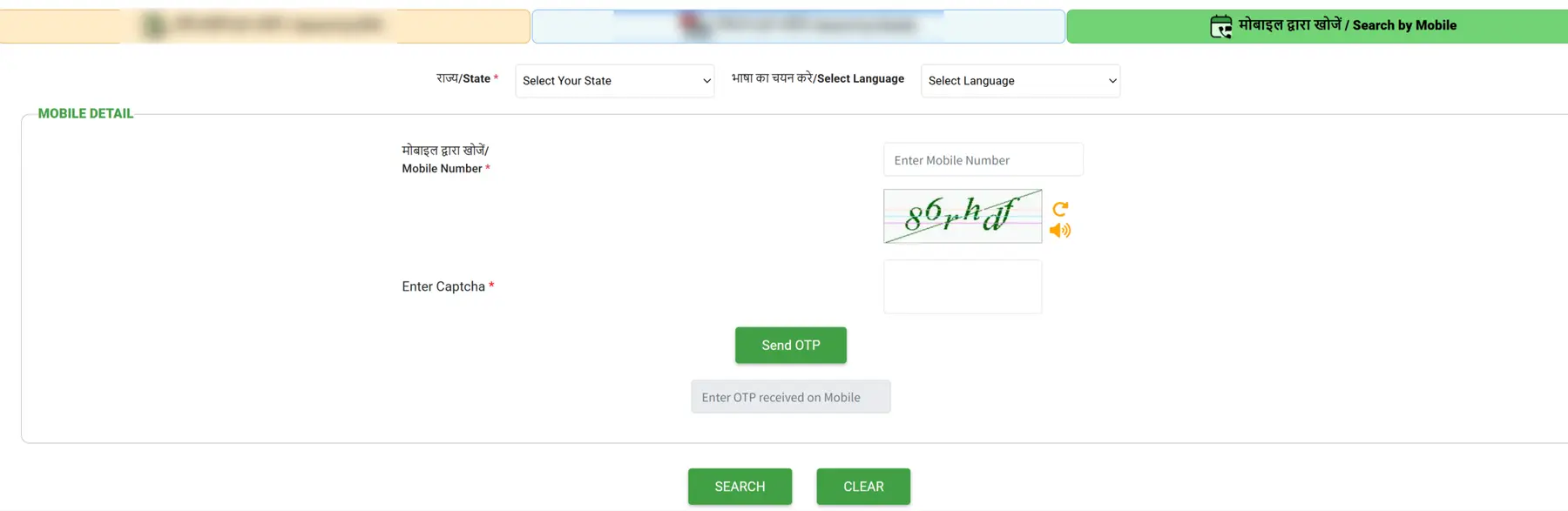
To use Search by Mobile No, enter your registered mobile number, select your state, then type the OTP sent to your phone and click Search.
STEP 4 - After the search is done, your voter details appear on screen. Your EPIC number is shown in the 'EPIC Number' column along with your constituency and part number.

Download e-EPIC Using Your EPIC Number
Once you know your EPIC number, you can use it to download a fresh digital copy of your Voter ID card from the ECI portal. This is useful if your original card is lost, damaged, or outdated.
STEP 1 - Go to electoralsearch.eci.gov.in and select your state, then enter your EPIC number and the captcha code.
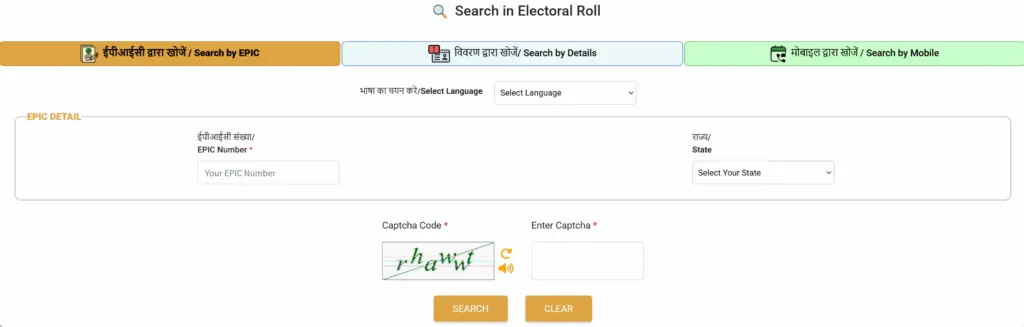
STEP 2 - Once your voter record appears on the dashboard, click the E-EPIC Download tab.
STEP 3 - Select EPIC Number as the search option, then re-enter your EPIC number and state.
STEP 4 - If your mobile number is already linked to your voter record, click Send OTP, verify it, then click Download e-EPIC to save your voter card as a PDF.
For a full state-wise list of electoral rolls, check the voter list PDF download page. If your name is not in the list yet, you can add it through Form 6 for new voter registration.